The learning journey, walked through the real platform.
ChETL is not a calculator that returns an answer. It carries a student from a first idea to a result they can defend — eight stages around a single calculation, backed by one engine. Every screen below is the actual platform, following one worked case: the compressibility factor of ethanol.
The ChETL learning journey, stage by stage
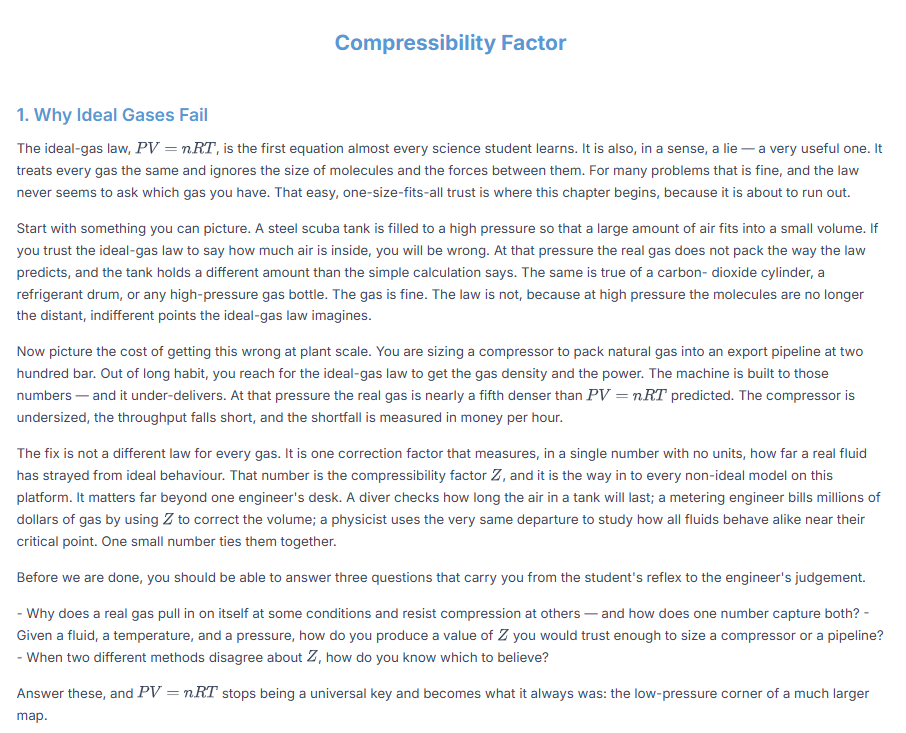
A textbook that teaches, not a formula sheet.
Every property opens with a written chapter — learning outcomes, a table of contents, and a narrative that starts from why the idea matters. Here the compressibility factor begins with the everyday failure of the ideal-gas law, then builds toward the engineer's judgement. Understanding comes before any calculation.
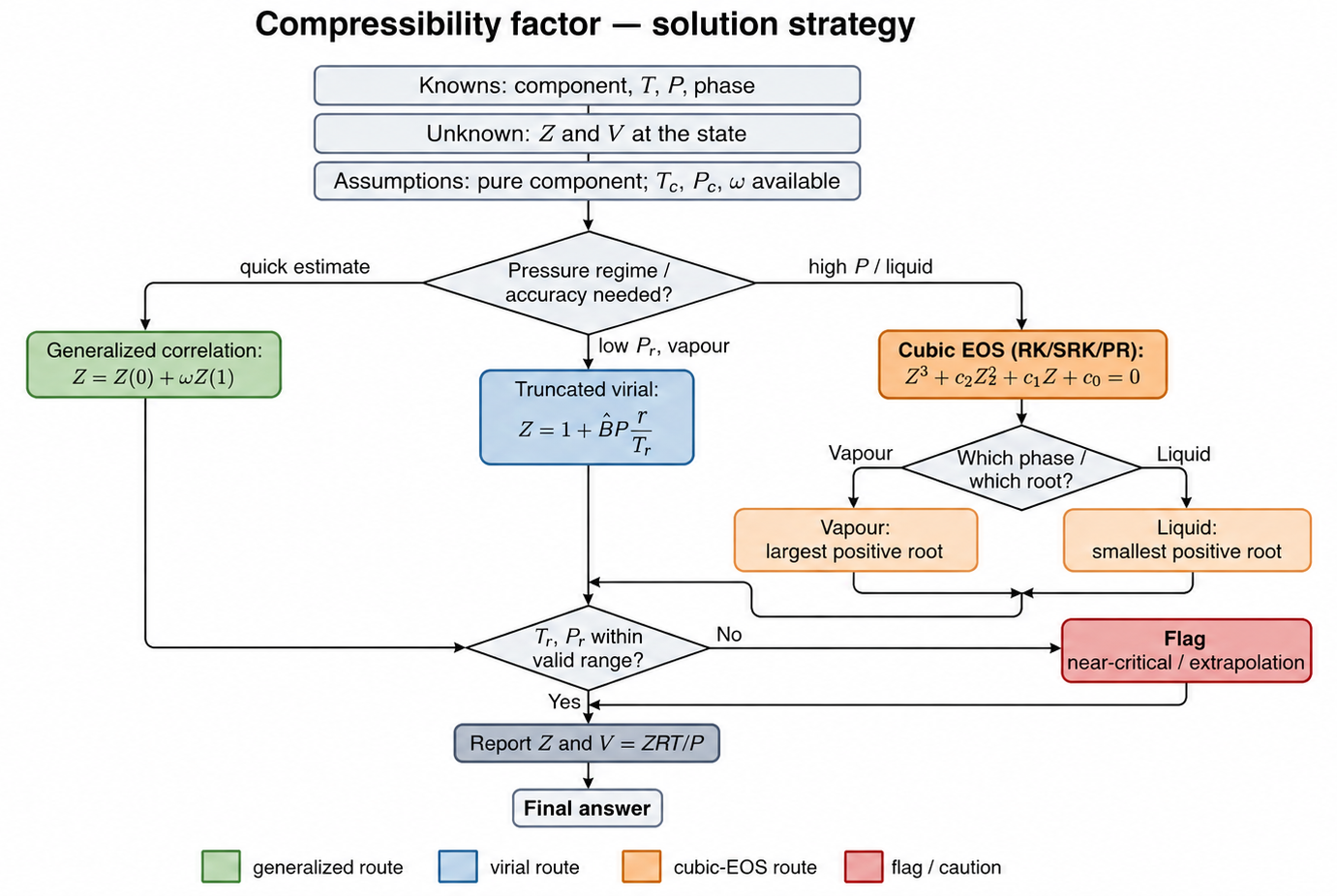
Engineering reasoning, drawn out before any number appears.
Before computing, the chapter maps the decision: fix the knowns, read the pressure regime, choose a route, pick the physical root, and check validity. Students learn the shape of the reasoning, not just the formula.
This flowchart is one worked example — the solution strategy for the compressibility factor. It is not a universal algorithm: each property follows its own computational pathway, while the transparent, reason-first philosophy stays the same.
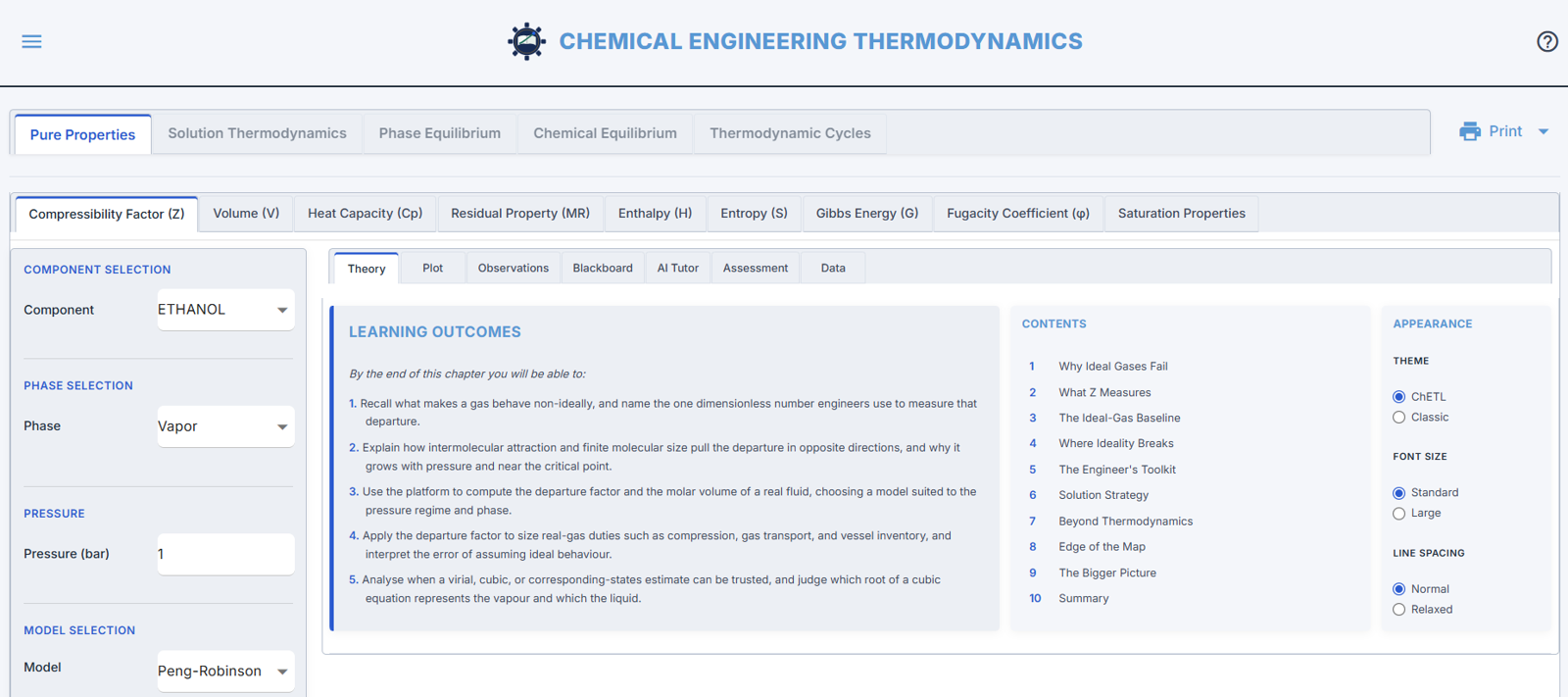
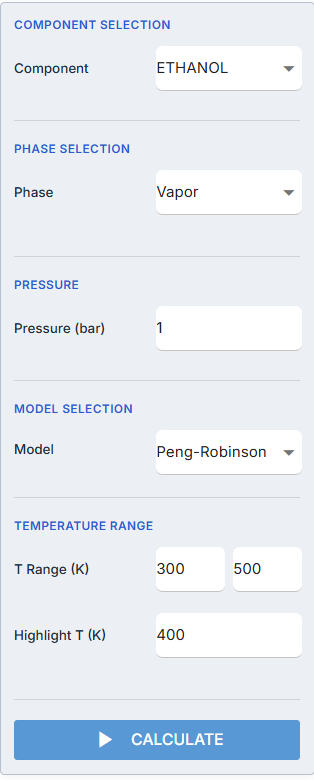
Set the problem. One engine does the rest.
A compact side panel: choose a component, phase, model and conditions, then press Calculate. The same validated engine drives every view that follows — so the theory, the plot, the blackboard and the interpretation can never quietly disagree.
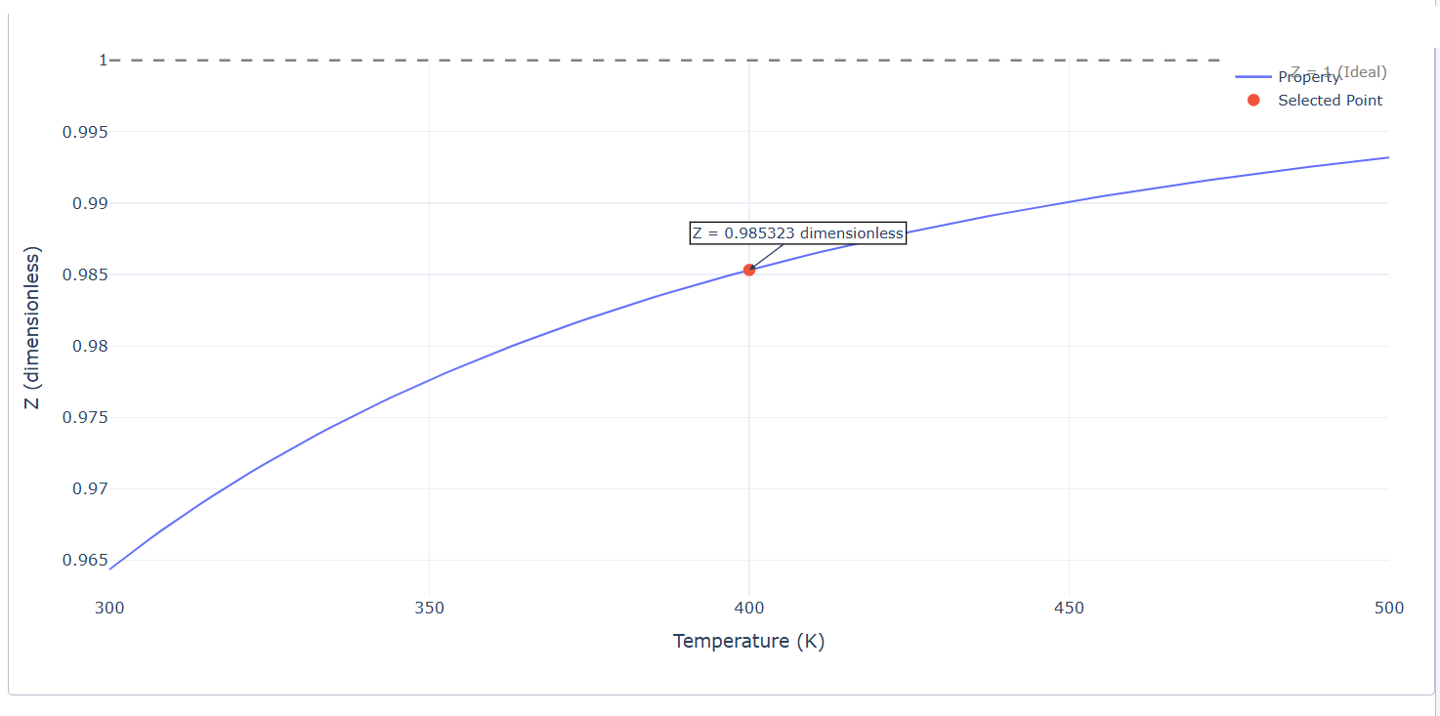
Watch the property move against the ideal baseline.
Sweep temperature or pressure and see real-gas behaviour trace away from the dashed Z = 1 ideal line. Every point on the curve is engine-computed — exploration and rigour are the same object.
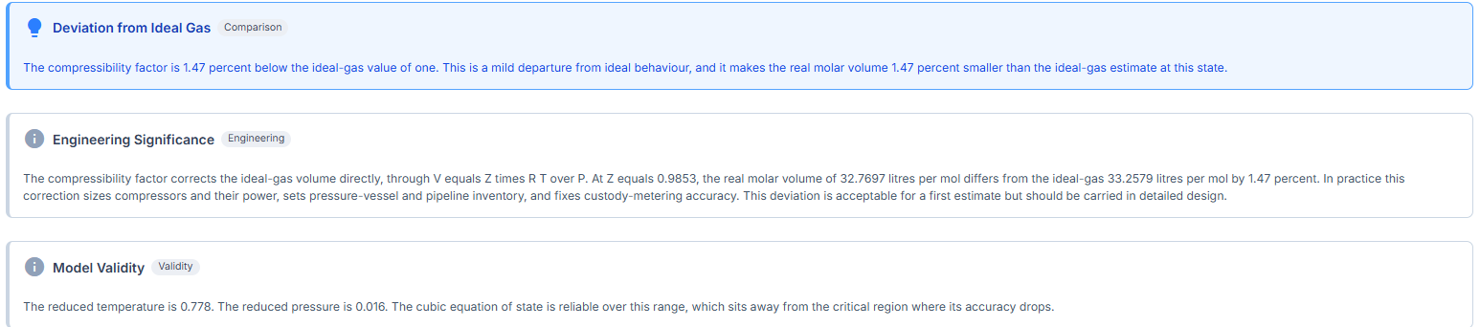
Where a number becomes engineering understanding.
The Observations panel reads the result back into meaning: what the value implies, where the model can be trusted, and how far it departs from ideal behaviour — the difference between an answer and an education.
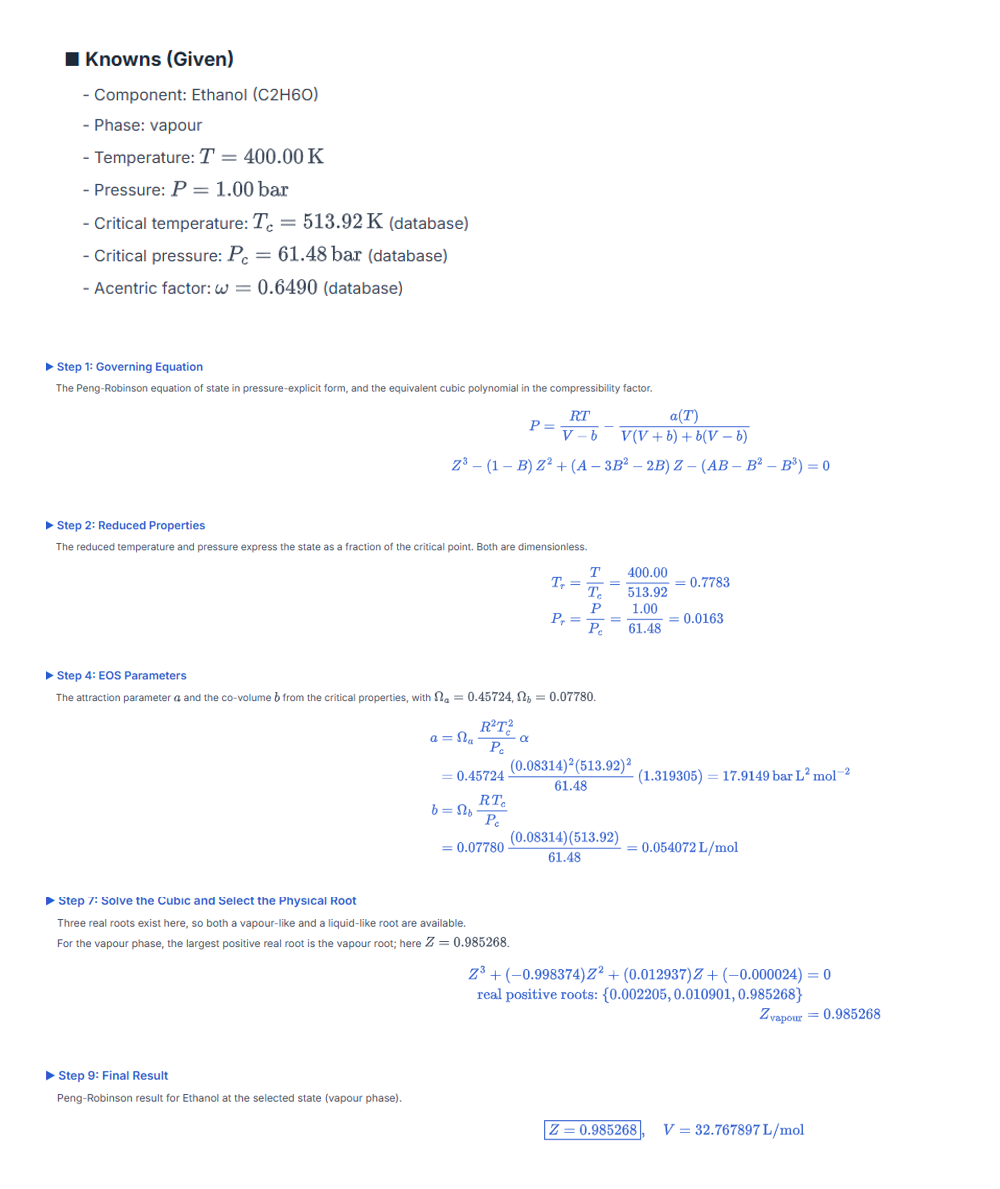
Every value, traceable to a formula.
The Blackboard reproduces the engine's exact path — knowns, governing equation, reduced properties, EOS parameters, the cubic solved for its physical root, and the boxed result with units. Transparent by construction; never a black box.
Ask the result a question.
A context-aware AI Tutor reads the solved case in front of the student and explains its engineering meaning. It is anchored to the verified result — it interprets and probes, it never recomputes the engineering itself.

A compressibility factor of Z ≈ 0.985 tells you this ethanol vapour is behaving almost — but not quite — like an ideal gas. For an ideal gas Z = 1 exactly, so the 1.5 % shortfall is the signature of real behaviour. Z < 1 means attraction slightly outweighs finite molecular volume: the molecules sit a little closer than PV = RT assumes, so the true molar volume (32.77 L/mol) is about 1.5 % smaller than the ideal estimate. At 400 K and just 1 bar you are far from the critical point and the pressure is low, which is why the departure is small. In practice, assuming ideal gas here costs ~1.5 % — fine for a first estimate, but not for compressor sizing or custody metering, where it becomes real mass and real money. Raise the pressure or approach saturation and Z will fall further — always check before trusting ideality.

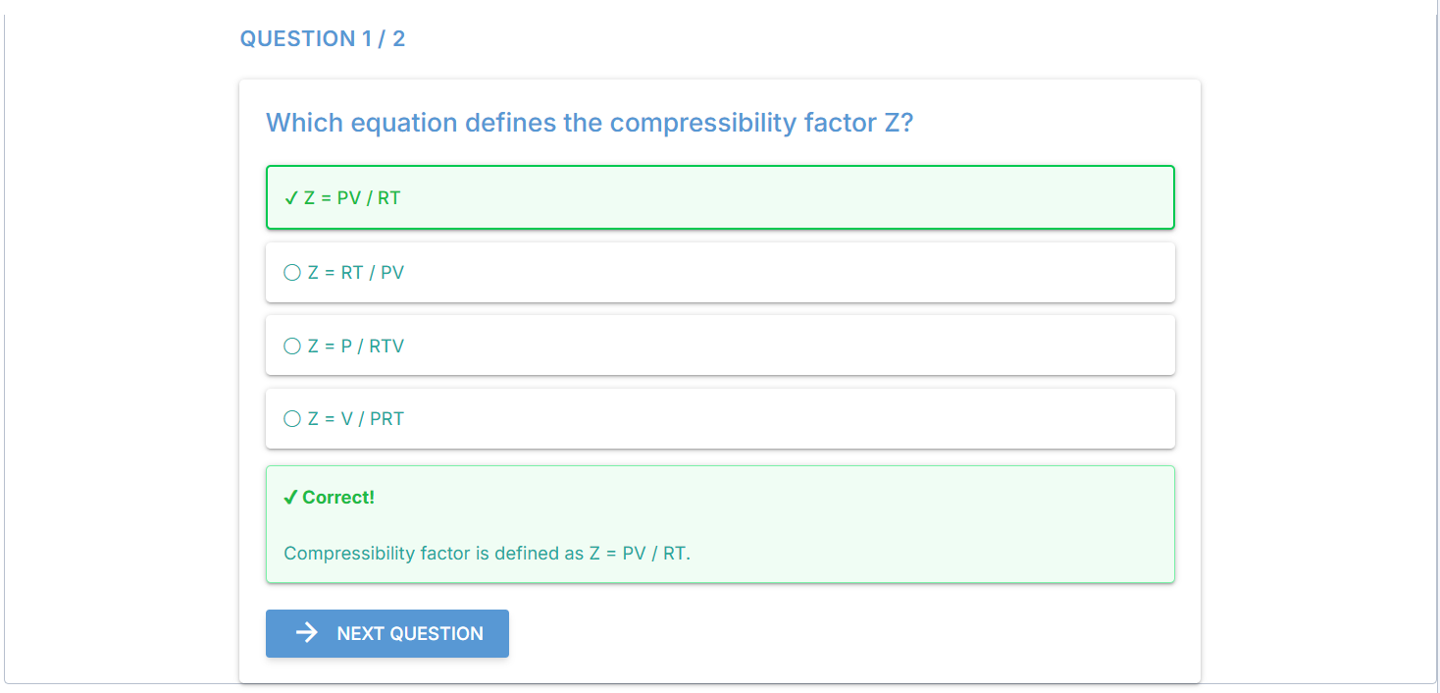
Check the reasoning, not just recall.
Questions are set by cognitive level — remembering, comprehension, application — with immediate worked feedback. Understanding is measured by the ability to reconstruct a result, not merely to recognise it.